Webpage builder
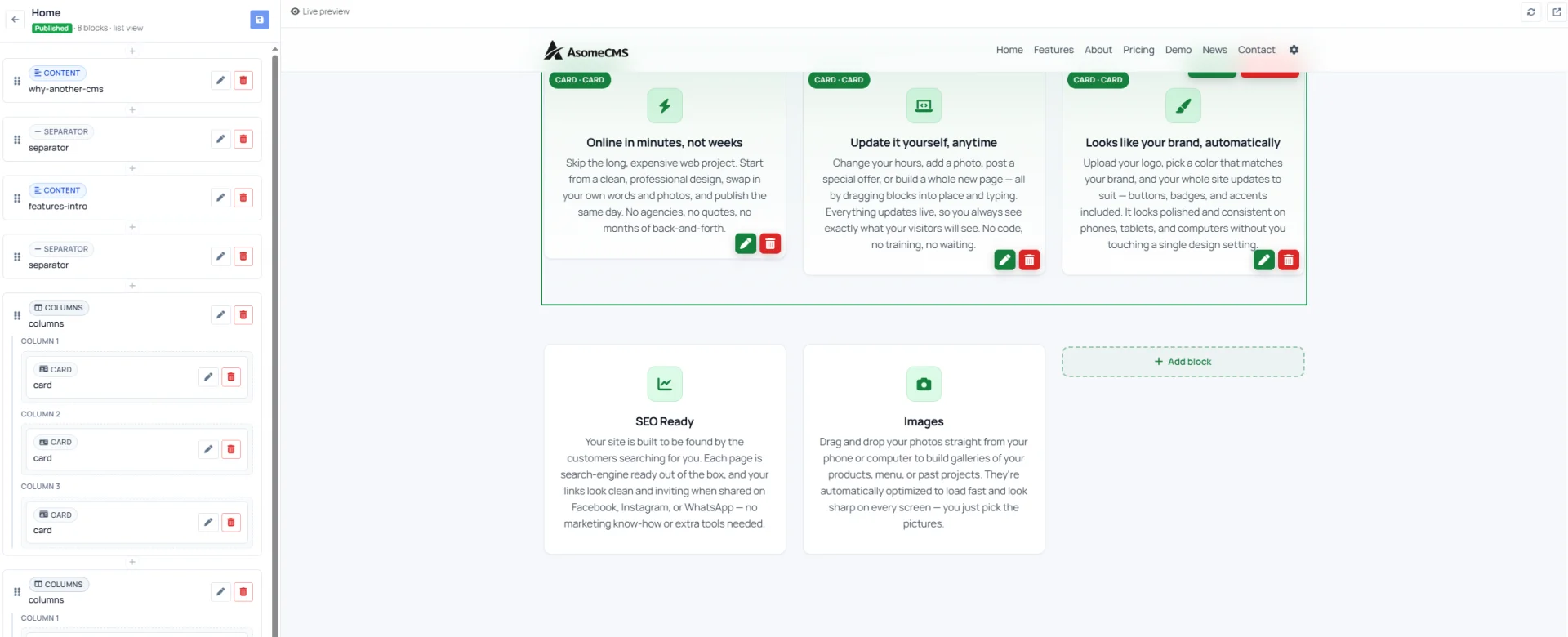
Pages are built from blocks. Drop in a CTA, write some content, add a pricing table — each block has its own template you can override in templates/. Reorder by dragging. Edit content inline with Editor.js, or paste in legacy HTML and it'll convert to blocks automatically.
Block types: Content (rich text), Images (gallery), Cards (3-column), CTA (banner with button), FAQ (collapsible), Pricing (3-tier table), Separator (visual break).
Theming without complexity
Pick from five accent palettes — blue, amber, forest, rose, slate — and decide whether your site forces a theme or lets visitors choose. Upload separate logos for light and dark mode and they'll auto-swap. Custom favicon.
SEO and social out of the box
Per-page meta titles and descriptions. Auto-generated sitemap. Per-page Open Graph images generated.
Web installer
First visit redirects to /install. Step 1 checks PHP version and required extensions. Step 2 takes database credentials and runs migrations. Step 3 creates your first admin user. Step 4 writes a lockfile and you're done.